A writing studio you actually own
Inkweld brings the manuscript, the world behind it, and the people you write with into one self-hosted app. Write offline, sync when you like, and export a finished book whenever you're ready.
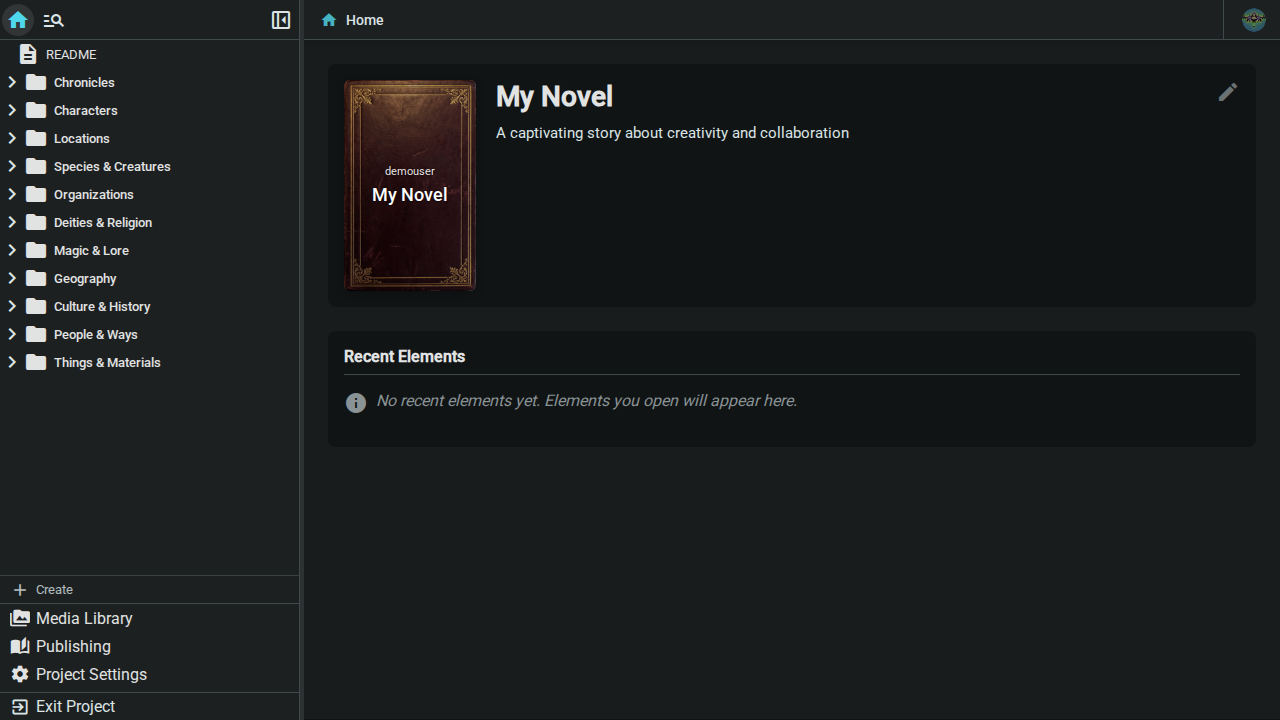
Everything in one place
Long-form editor
A ProseMirror-based editor tuned for prose: optional Markdown shortcuts (off by default, enable them in Settings → General), zen mode, find and replace, inline images, tables, and full keyboard control.
Real-time collaboration
Co-authors edit the same document at once with live cursors and presence. Yjs CRDTs merge every change without conflicts or manual merges.
Local-first
Every keystroke saves to your browser first. Work with no server at all, mirror projects to your own Dropbox or Nextcloud with Cloud Sync, or connect an Inkweld server — your drafts never wait on a network.
Structured worldbuilding
Characters, locations, factions, items — or any type you define with custom templates, tabs, and fields. Reference them in prose with @mentions and see backlinks everywhere.
Relationships & charts
Link elements with typed, bidirectional relationships, then visualise the whole web as a force-directed graph or a family-tree hierarchy.
Canvas & interactive maps
Draw on an infinite layered canvas, drop in map images, and pin locations or trace regions that open the element they belong to.
Timelines & calendars
Invent your own calendar, date your elements, and auto-build timelines with eras and parallel tracks for every storyline.
Tags, search & quick open
Tag anything, jump to any file with Ctrl/Cmd + P, and search every document in the project at once with filters for tags and element types.
Snapshots & comments
Save named versions of a document and restore them any time. Leave threaded, resolvable comments for editors and beta readers.
Media library
Covers, inline images, and generated art in one searchable library, cached locally for offline access and synced when connected.
Generators & project templates
Roll names, places and prompts from random generators you define, and start new projects from a template — an empty worldbuilding setup, a demo project, or a blank slate.
Publishing
Export EPUB, print-ready PDF, HTML, or Markdown. Save publish plans and typography presets so every release builds the same way, and share a finished export with a link.
AI, on your terms
Optional image generation, grammar suggestions and AI auto-review of your prose, off by default and behind an admin kill switch. Connect Claude or other assistants to your projects through MCP.
An editor built for books, not blog posts
Chapters, scenes, and notes in a drag-and-drop tree with unlimited nesting
Rearrange scenes on a corkboard of index cards, or review synopses, status and word targets in an outline
Tabs, breadcrumbs, pinned files, and a recent-files list keep big projects navigable
- Zen mode hides everything but the page
- Daily word counts and session stats on your profile
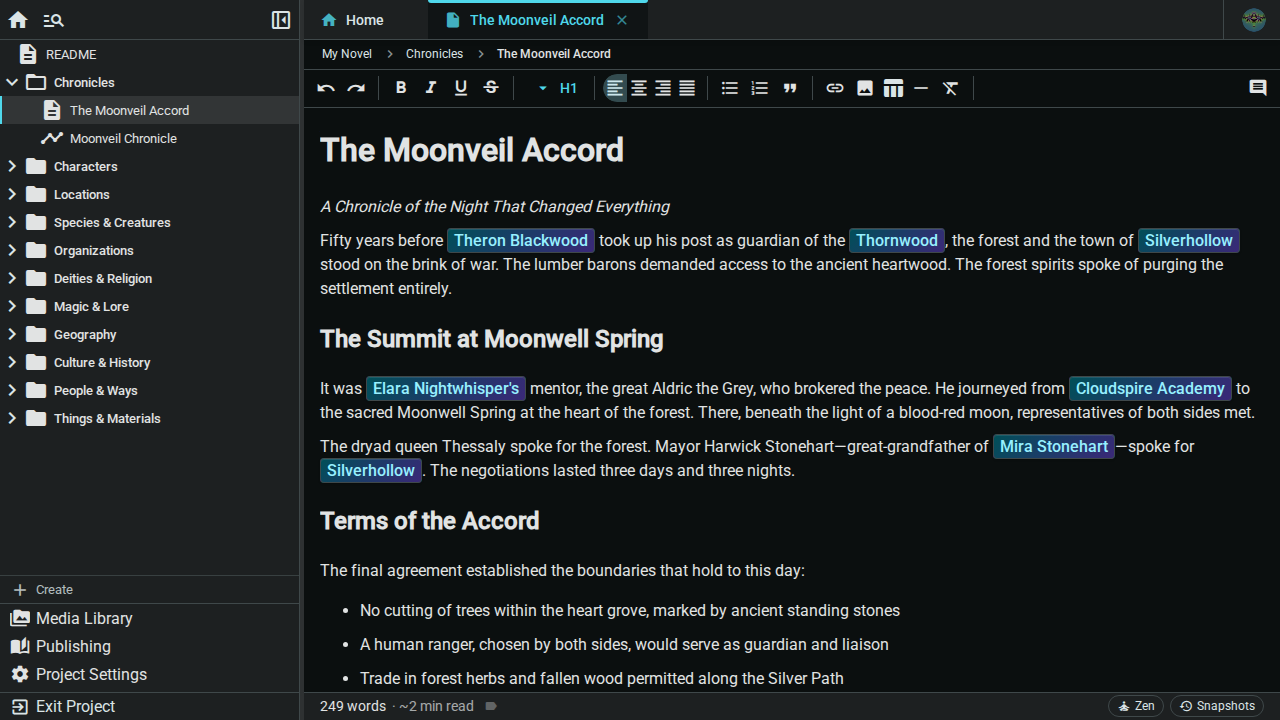
Your world, structured your way
Templates define fields, tabs, and appearance for each element type
Type
@in any document to link an element; hover for a preview- Backlinks show every scene a character appears in
- Snapshots capture worldbuilding data too
Element references →

Draw the map. Then make it clickable.
- Freehand, shapes, arrows, text, and pins on independent layers
- Set any image as a map backdrop, tile several for large worlds
- Link pins and regions to elements — double-click to open them
- Crop frames export PNG or SVG, or become the project cover

Chronology that keeps up with your plot
- Gregorian, relative years, or fully custom fantasy calendars
- Auto-build a timeline from the date fields on your elements
Parallel tracks for regions or storylines, eras for ages and reigns
- Events link straight back to the elements involved

See the whole cast at a glance
- Typed relationships with automatic reverse links
- Force-directed graph or hierarchy layout
- Filter by relationship type or element type
- Export charts as PNG or SVG

From draft to bookshelf without leaving the app
EPUB for every e-reader, PDF typeset with Typst, HTML, and Markdown
Publish plans remember which folders and documents, in what order, with which metadata — a folder follows the tree, so reordering scenes needs no plan edits
Six typography presets plus per-section overrides for fonts, spacing, and page breaks
Share a published file as a private, link-only or public download as soon as a publish finishes
Export or import whole projects as portable
.inkweld.ziparchives

Host it anywhere
One codebase, several ways to run it. The client works completely offline, Cloud Sync mirrors projects to storage you already own, and the sync server adds real-time collaboration and sharing.
Private by design
- Self-hosted — your manuscripts live on hardware you control. No telemetry, no Inkweld cloud.
- Bring your own storage — Cloud Sync keeps a mirror in your Dropbox or Nextcloud, with no Inkweld account at all.
- Passwordless sign-in — passkeys (Face ID, Touch ID, Windows Hello, security keys) by default, with optional password login and GitHub OAuth.
- Role-based sharing — invite collaborators per project with the access they need, and see what changed in the activity feed.
- Admin tools — an admin dashboard for users, instance settings, appearance and AI, plus announcements you can post to everyone on the server.
- AI is opt-in — every AI feature is disabled until an administrator turns it on, and a single kill switch turns it all off again.
- No lock-in — export to open formats, or take a complete project archive with you.
- Open source — MIT licensed, built in the open on GitHub.
Under the hood
| Layer | Technology |
|---|---|
| Client | Angular PWA, ProseMirror editor, IndexedDB storage |
| Real-time sync | Yjs CRDTs over WebSocket |
| Server | Hono on Bun, or Cloudflare Workers |
| Database | SQLite via Drizzle ORM, or Cloudflare D1 |
| Publishing | EPUB, Typst-rendered PDF, HTML, Markdown |
| Integrations | Model Context Protocol server with OAuth |
Want the details? Read the architecture guide or browse the REST API reference.
Ready to start writing?
Spin up a server in one Docker command, or try the app offline with no server at all.